Remote attack
In this part you will perform the Meltdown attack on a remote computer in the room. The computer runs an unpatched version of Linux, and an Intel CPU, where the attack still works.
On the vulnerable laptop, a beautiful ThinkPad T430s, the unsuspecting user linus has left his password manager open.
However, since he is at least moderately paranoid, he has locked the computer, so you cannot
just look at the passwords on the screen. He has also selected a good password, set excellent
file permissions on his files, and configured full-disk encryption for all data.
Thus you cannot use any ordinary method to gain access.
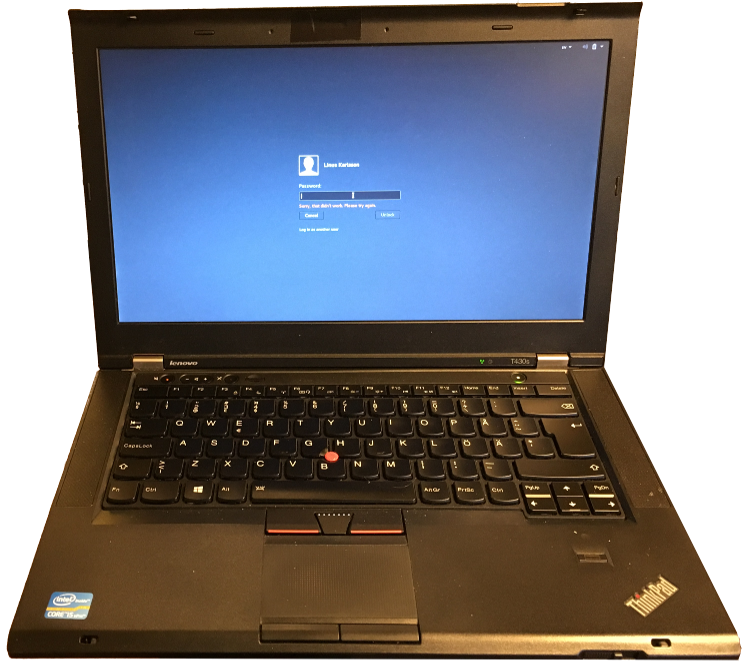
Surely a locked ThinkPad cannot be hacked? Right?
However, the computer also has another account, sloppy.
Unfortunately, that user is not as competent as linus, and thus selected the bad password sloppy.
Your ultimate goal is now to login as sloppy, and use the Meltdown attack to leak the memory from Linus's password manager, without having access to Linus's account.
Start by logging into the computer remotely using ssh, both username and password is sloppy. Look at the blackboard for the address of the laptop you're going to attack.
When you have logged in, you can use ps aux to see running processes, including Linus's password manager.
Use time ./memdump 0x87654321 2000, which dumps 2000 bytes to the screen using the Meltdown attack, and prints the time it took. Make a rough approximation of the number of bytes dumped every second. How long would it take to dump the complete 8 GB memory of the target computer?
Since we do not have time to wait as long as it would take to dump the complete memory, in this workshop, you will get the physical memory location of interest. This is the memory location where the password manager stores its information. You can see the location printed on the blackboard.
First, we will try a naïve attack, simply reading the memory address from the memory as we would have done in a regular application.
If you want to, you may look at the source code for this naïve attack in the file naivememdump.c.
Try do dump the given memory address by using the program ./naivememdump TARGET. What error do you get? Why doesn't it work?
Think about what part of the computer that raises this error. The CPU? The operating system? The software? Would the program work if it had been executed as root instead?
Now, you will actually perform the Meltdown attack on the given memory location. Since the attack relies on timing and race-conditions within the processor, it may not succeed every time. You may for example have to try the attack several times, run the attack on different CPU cores, or dump different amount of memory. Consider the command below, and look at the list below for an explanation of the various parts, and possible options to try if the attack does not work.
taskset 0x1 ./memdump TARGET 800
taskset 0x1runs the program on core 1. You can try with e.g. 2, 4, or 8 here.TARGETthe location in memory to dump data from. This is given on the blackboard. You should not have to modify this.800the number of bytes to dump from memory. You can try different values here, but anything between 600-1000 should give you the secret data.- Finally, you may have to run the program many times. The attack is not deterministic. Simply re-running the same command may suddenly work, while one set of options may work once, but then never again.
Did you find any passwords? It will be obvious if you suceed. Otherwise retry as above.
As you could see, we have now managed to extract some secret data from the computer. Let's think about the implications of the attack! Consider the following three different computers: your own laptop, a random (shared) Linux workstation at the University, and a cloud server with many tenants. For each of the cases, how serious is the threat from Meltdown?